In the philosophy behind terminal-first computing, I described why the Unix ideas of simplicity, composability, and inspectable text still matter. This article is more personal: why do I choose to work this way even when the task is ordinary office work rather than software engineering?
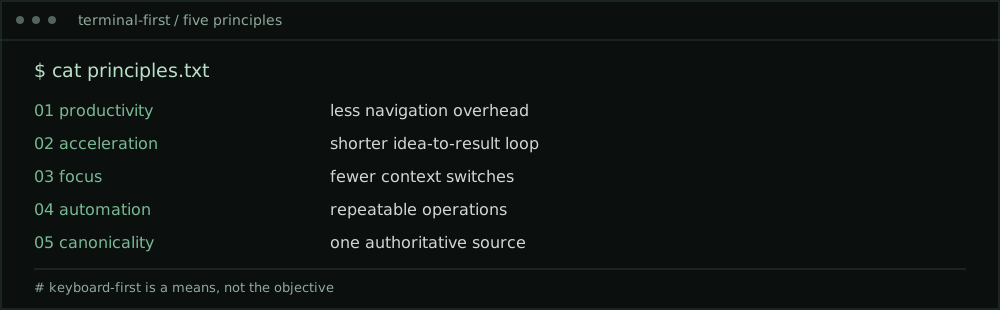
My answer comes down to five principles. None requires everyone to use the same editor, shell, or computer. They are about reducing friction between intention and outcome.
1. Productivity: fewer steps between thought and action
Productivity is not measured by how many windows I can keep open or how quickly I can click through them. It is the amount of useful work I can complete without unnecessary overhead.
When an action can be expressed directly, I do not need to navigate a hierarchy of menus before starting it. I can move from finding information to changing it to sharing the result with fewer interruptions.
I keep my hands on the keyboard because the keyboard provides a consistent way to navigate, select, transform, and execute. Having mastered Vim and Emacs keybindings, movement through text has become an extension of thought rather than a separate mechanical task.
The objective is not to avoid the mouse at any cost. It is to avoid making every small action a new interaction problem.
2. Acceleration: compound the value of what I learn
Speed is useful, but acceleration is more important. A fast one-off action saves seconds. A reusable way of working saves time every time the task returns.
The first time I solve a problem, I may need to explore. The second time, I should be able to reuse what I learned. By the third time, the process should be simpler, clearer, or partially automated.
Keyboard fluency, command history, reusable patterns, and plain-text knowledge all compound. The investment in learning is front-loaded; the benefit continues across different tasks and applications.
Acceleration is therefore not about rushing. It is about making each completed task improve the next one.
3. Focus: protect the continuity of thought
Modern desktop computing is remarkably capable, but it can also fragment attention. Every application switch introduces a small decision: where was I, what was I doing, and what must I do next?
A terminal-first approach helps me maintain a consistent working context. I can read, search, write, and act without repeatedly changing interaction models. The fewer transitions I need to manage, the more attention remains for the problem itself.
This matters especially in architecture and security work. Understanding dependencies, evaluating trade-offs, and tracing causes require sustained thought. The best interface is often the one that gets out of the way.
Focus does not mean working in isolation from useful applications. It means choosing when to change context rather than allowing the workflow to dictate every change.
4. Automation: make repeatability a default
If a task is repeated, it deserves to be examined. Does it require human judgment every time, or only at specific decision points?
Automation begins with a process that can be described clearly. It does not need to start with a sophisticated platform. Even a small, reliable sequence can eliminate avoidable errors and free attention for work that genuinely requires judgment.
I value automation because it creates consistency. A documented process can be inspected, improved, and handed to someone else. In security-sensitive work, it can also establish clearer boundaries around inputs, permissions, and evidence.
Not every action should run unattended. High-impact changes still deserve confirmation, validation, and an appropriate rollback path. Good automation removes repetitive effort without removing accountability.
5. Canonicality: know where the source of truth lives
This may be the most underrated principle.
When the same information exists in multiple applications, copies begin to diverge. Which version is current? Which one was approved? Which one should be updated? The time spent reconciling duplicates can exceed the time saved by a convenient interface.
I prefer to maintain a canonical artifact wherever practical: one authoritative source that can be transformed into other forms. A text document might become a web article, a formatted report, or presentation material, without requiring separate edits to each output.
Canonicality is not the claim that every document must be plain text. Some formats and collaborative systems must remain authoritative in their native environment. The principle is to decide deliberately where truth resides, and treat everything else as a view, export, or derived artifact.
This is also a security principle. Clear ownership, traceable changes, and controlled propagation reduce ambiguity and make review more meaningful.
The keyboard is the common thread
These five principles reinforce each other. Productivity reduces needless interaction. Acceleration makes learning cumulative. Focus preserves attention. Automation makes repeatable work dependable. Canonicality prevents information from fragmenting.
Keyboard-first navigation ties them together. Vim and Emacs have given me different but complementary ways to develop fluency in editing and movement. The specific keystrokes matter less than the ability to move through work without breaking concentration.
I do not consider terminal-first a contest to see who can avoid graphical interfaces the longest. It is a practical decision to make the computer respond to my intent with as little friction as possible.
The final article makes these principles concrete: Terminal First on macOS: My Practical Workflow.